How to Auto-Reply to Instagram DMs and Comments (Step-by-Step)

Official Meta Business Partner
How to Set Up Automatic Replies on Instagram
Reply to every comment, DM, and story interaction instantly — 24/7, with no code and no risk to your account.
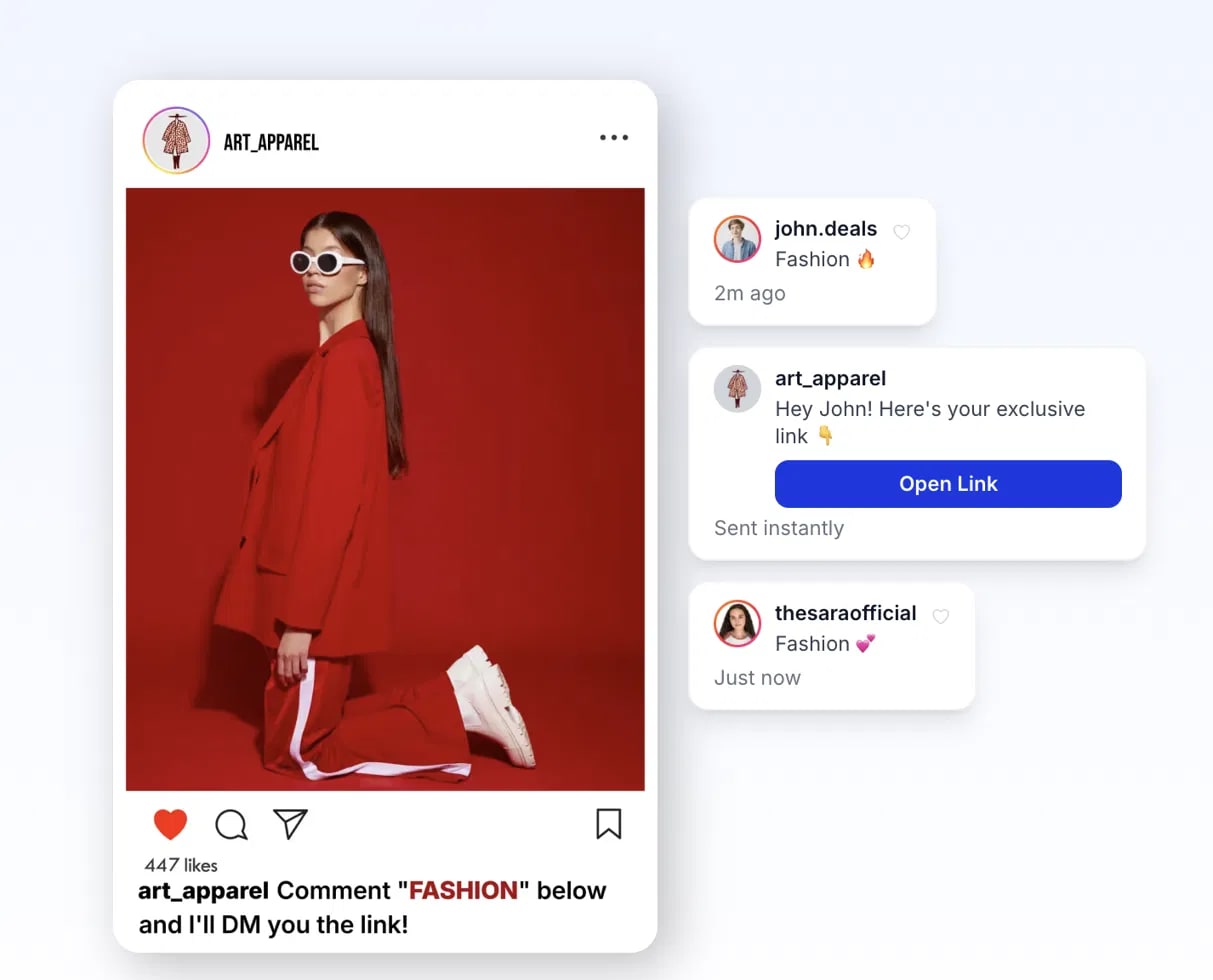
Answering every comment and DM by hand does not scale — and the replies people get hours later rarely convert. The fix is to set up automatic replies on Instagram so that comments, DMs, and story interactions get an instant response, 24/7. This guide shows you exactly how to do it, step by step.
Before you start: do it the safe way
The official Instagram API from Meta is safe and allowed. Unofficial bots or browser extensions that mimic a human violate Instagram's terms and can get your account restricted. This tutorial uses the official method via Send DM, an official Meta Business Partner.
1. Send an automatic DM from a comment
The highest-impact automation: when someone comments a keyword on your post or reel, they instantly get a DM.
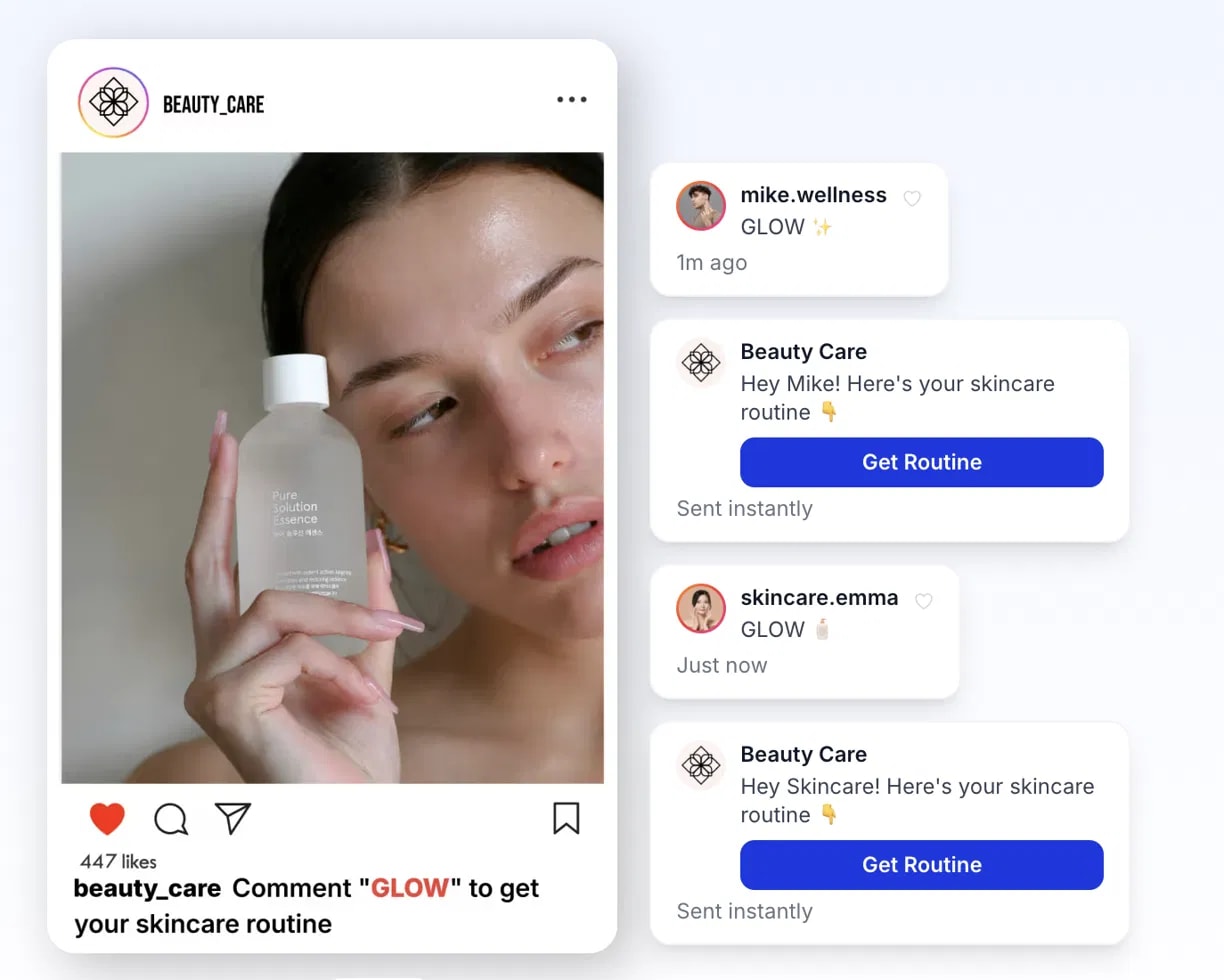
| 01 | Connect your account. Sign up free and connect via the one-tap official Meta login. |
| 02 | Pick the post or reel you want to automate. |
| 03 | Choose a trigger keyword — like “LINK” or “GUIDE”. |
| 04 | Write the DM with your link or offer. Personalize it with the commenter's name. |
| 05 | Go live. Anyone who comments that keyword automatically receives your DM in seconds. |
Add a CTA to your caption like “Comment LINK and I'll DM you the guide” to dramatically increase comments and DMs. See our Instagram DM bot guide.
2. Auto-reply to incoming DMs
| 01 | Open your DM automation settings. |
| 02 | Create a keyword trigger — for example, “PRICE” or “BOOK”. |
| 03 | Write the reply, or build a multi-step flow that routes the conversation. |
| 04 | Add a fallback message for DMs that do not match any keyword. |
| 05 | Activate it. Incoming DMs now get instant, around-the-clock responses. |
3. Auto-reply to story mentions and replies
Story interactions are pure intent — someone cared enough to react.
| 01 | Enable story automation. |
| 02 | Choose what to respond to: mentions, reactions, or replies. |
| 03 | Write the DM to send when it happens. |
| 04 | Save. Every story interaction gets an instant reply while interest is at its peak. |
Tips for auto-replies that actually convert
| Sound human. Write the way you talk. Add an emoji and the person's name. |
| One clear next step. Every auto-reply should point to a single action. |
| Capture the lead. Ask for an email or phone inside the flow. See Instagram lead generation. |
| Test your keywords. Short, memorable, and unlikely to be typed by accident. |
How long does this take? Your first comment-to-DM automation takes about five minutes. Once it works, layer in DM auto-replies, story automation, and a welcome message for new followers.
Never miss a lead again
Connect your account, pick a keyword, write the message, and go live.
Start FreeNo credit card · No code


